
Quick answer: what is an affordable website development company?
An affordable website development company builds professional, fast, search-friendly websites at a fair price for small and medium businesses, without hidden charges or cutting the parts that matter: mobile design, speed, security, and basic SEO setup. Affordable does not mean the cheapest. It means getting the best result for your budget and knowing exactly what you are paying for.
In India, a basic business website typically costs ₹8,000 to ₹25,000, a WordPress business website ₹15,000 to ₹50,000, and an ecommerce store ₹25,000 to ₹1,00,000 or more, depending on products and features. This guide explains what drives those costs, what to expect, and which warning signs to avoid.

Why choosing the right website company matters
Your website is often the first thing a customer sees before they call you, visit your shop, or buy from you. A slow, confusing, or broken website sends people to a competitor in seconds. A clear, fast, trustworthy website does the opposite: it answers questions, builds trust, and brings enquiries while you sleep.
Many small businesses make one of two mistakes: paying too much for features they never use, or picking the lowest price and ending up with a template-copy website that is slow, insecure, and invisible on Google. Both mistakes are avoidable when you know what a fair deal looks like.
What does “affordable” really mean?
Affordable is about value, not price alone. Compare what is actually included in a quote:
| What to compare | ₹5,000 quote | ₹20,000 quote |
|---|---|---|
| Design | Copied template, no customization | Custom layout matching your brand |
| Mobile friendly | Often broken on phones | Tested on phones and tablets |
| Speed | Heavy images, slow load | Optimized images and clean code |
| SEO setup | None | Titles, descriptions, sitemap, schema basics |
| Security | No SSL guidance or backups | SSL, backups, basic hardening |
| Support | None after delivery | Support period included |
| Ownership | Unclear | You own the domain and files |
The second quote costs more upfront but can cost less over time, because you do not pay again to fix, rebuild, or recover from problems. Affordable means paying a fair price once for something that works.
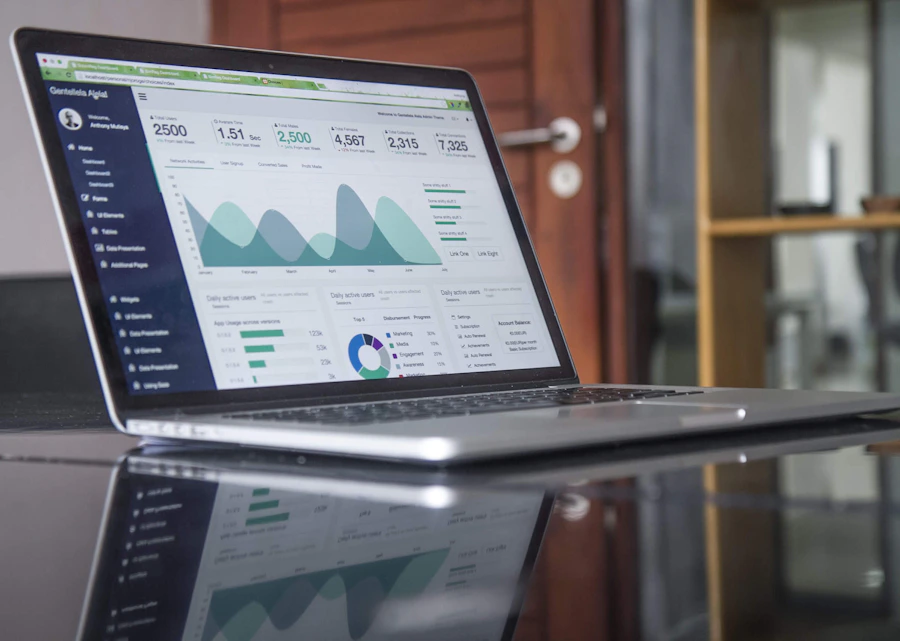
Compare the scope, performance, support, and ownership behind each quote—not only the total at the bottom.
Website development cost in India: typical price ranges
Prices vary by city, team size, and scope. These are typical market estimates for small businesses—not a quote from any one company. Always ask for a written quote.
| Website type | Typical range (INR) | Best for |
|---|---|---|
| One-page or landing page | ₹3,000 to ₹10,000 | Campaigns, freelancers, quick launches |
| Basic business website (4–6 pages) | ₹8,000 to ₹25,000 | Local shops, clinics, small services |
| WordPress business website | ₹15,000 to ₹50,000 | Growing businesses that need blogs and easy editing |
| Ecommerce (Shopify or WooCommerce) | ₹25,000 to ₹1,00,000+ | Online stores with products and payments |
| Custom web application | ₹1,50,000 and above | Portals, booking systems, special features |
Yearly running costs to plan for
- Domain name: ₹500 to ₹1,500 per year
- Web hosting: ₹2,000 to ₹10,000 per year, depending on traffic and quality
- Premium plugins or themes: ₹0 to ₹15,000 per year
- Maintenance and updates: ₹500 to ₹5,000 per month if outsourced
Prices are estimates, not guaranteed rates. Ask providers to confirm current renewal costs and taxes in the written quote.
What affects the cost of a website?
Understanding the cost drivers helps you ask better questions and avoid paying for things you do not need.
- Number of pages. A five-page website takes much less time than a fifty-page one. Each page needs design, content placement, testing, and SEO setup.
- Custom design vs. template. A customized template is cheaper and faster. A fully custom design costs more because every layout is built around your brand.
- Features and functionality. Contact forms are simple. Online booking, payment gateways, membership areas, multi-language support, and product filters add time and cost.
- Content creation. Some packages include writing and photography; others expect you to supply the text and images. Professional copywriting and photos can add significantly to the total.
- SEO setup. Basic on-page SEO should be part of a good build. Keyword research, content strategy, and link building are usually separate services.
- Platform choice. WordPress offers flexibility. Shopify offers speed for stores. Custom code offers control but costs the most.
- Support and maintenance. Updates, backups, and security checks are ongoing costs. Ask what is included and for how long.
Which platform is best for an affordable website?
There is no single best platform. The right choice depends on what you need to do and how much time you want to spend maintaining it.
| Platform | Strengths | Limits | Good for |
|---|---|---|---|
| WordPress | Flexible, huge plugin library, SEO-friendly, easy to edit | Needs updates and security care | Business sites, blogs, service companies |
| Shopify | Fast store setup, secure hosting, built-in payments | Monthly fees and app costs | Product-based online stores |
| WooCommerce | Full control inside WordPress, no per-sale platform fee | Needs good hosting and upkeep | Stores that want flexibility |
| Wix / Squarespace | Easy drag-and-drop editing | Less flexible; can be harder to optimize | Very small sites, quick tests |
| Custom code | Maximum control and performance | Highest cost and time | Special software and large projects |
For most small and local businesses, a well-built WordPress site is a good balance of cost, flexibility, and search performance. For stores selling many products, Shopify or WooCommerce is usually the better fit.
What should an affordable website package include?
A fair package, even at a low price, should cover the basics that make a website work. Use this as your minimum list:
- Mobile-responsive design. The site works well on phones and tablets.
- Fast loading speed. Compressed images, clean code, and decent hosting.
- Basic on-page SEO. Titles, descriptions, headings, alt text, sitemap, and robots file.
- SSL certificate. HTTPS is standard and expected.
- Contact options. Working form, click-to-call button, and WhatsApp link where useful.
- Google tools setup. Google Analytics and Search Console connected.
- Social links and Maps. Helpful for local businesses.
- Security basics. Strong admin login, backups, and spam protection.
- Training. A short walkthrough so you can edit text and images.
- Support and ownership. 15–30 days of fixes, plus your domain, files, and admin access.
If a company cannot clearly say what is included, treat that as a warning sign.
How to choose an affordable website development company: a 10-point checklist
Use this checklist when comparing two or three companies.
- Look at real portfolio work. Ask for live websites you can open on your phone. Check speed, layout, and whether the sites look different. If every site looks identical, they may be reusing one template.
- Check reviews from real clients. Look at Google reviews and ask for client references. Reviews that sound similar or appear all at once deserve caution.
- Ask for a written scope and quote. A proper quote lists pages, features, timeline, revisions, and payment stages. A verbal promise is not enough.
- Confirm what is not included. Ask about hosting, domain, content, images, plugins, and maintenance. Hidden extras are a common reason cheap quotes become expensive.
- Check ownership terms. You should own your domain and website. Do not accept an arrangement where the company holds the domain or locks you out of the admin panel.
- Ask about SEO and speed. Ask how they handle page speed, mobile design, and on-page SEO. A good team will answer clearly without jargon.
- Ask about the timeline. A simple business website usually takes 1–3 weeks, a store 3–8 weeks. Extremely short timelines can mean little customization or testing.
- Understand the payment structure. A partial advance, milestone payment, and balance on delivery is common. Avoid paying everything upfront with nothing in writing.
- Ask about support after launch. Find out who fixes problems, how quickly, and for how long. A site is not finished the day it goes live.
- Trust your communication experience. If they explain clearly and ask good questions about your business, that is a good sign. If they only talk about price, be careful.

Red flags to avoid
- “Website in 24 hours for ₹999.” Unrealistic promises usually mean copied templates with no testing.
- No portfolio or fake portfolio. If they cannot show live work, be cautious.
- Guaranteed number one on Google. No honest company can guarantee rankings; Google itself warns about this promise.
- They keep your domain or hosting in their name. This can lock you in.
- No written agreement. Always get scope, price, and timeline in writing.
- Pirated or nulled themes and plugins. These can contain malware and break updates.
- Copied or spun content. This can hurt your visibility in search.
- No mention of mobile, speed, or security. These are basics, not extras.
- Pressure to pay quickly. Good companies give you time to decide.
The website development process, step by step
Knowing the process helps you stay involved and spot delays.
Discuss your business, customers, competitors, and goals.
Agree pages, features, timeline, and quote.
Review homepage and key page layouts.
Prepare or collect text, images, and video.
Build pages and make them responsive.
Add titles, schema, sitemap, and image optimization.
Check phones, browsers, forms, links, and speed.
Publish the site and connect analytics tools.
Learn how to edit; support period begins.
How to make your website Google-friendly from day one
A good developer builds with search in mind. Google publishes clear guidance, and following it helps protect your site over the long term.
Create helpful, people-first content
Write to help real people, not only to rank. Explain your services clearly, answer common questions, and show real experience. Avoid repeating keywords unnaturally.
Show experience, expertise, authoritativeness, and trust
This is often called E-E-A-T. Add an About page, team details, real contact information, client reviews, and clear policies. For businesses handling health, money, or legal topics, this matters even more.
Make it mobile-friendly
Google uses the mobile version of your page for indexing. Text must be readable, buttons easy to tap, and nothing should overflow the screen.
Pay attention to Core Web Vitals
These measure loading, interactivity, and visual stability. Compress images, avoid heavy sliders, use caching, choose reliable hosting, and test with PageSpeed Insights.
Use clean structure and structured data
Use one H1 per page, logical H2 and H3 headings, short URLs, descriptive image alt text, and internal links between related pages. Schema such as Organization, LocalBusiness, and FAQPage can help search engines understand the page—only mark up content that is visible.
Avoid spam practices and use Search Console
Google's spam policies cover keyword stuffing, hidden text, cloaking, and buying links. Avoid these practices. Verify your site in Google Search Console, submit the sitemap, and check regularly for indexing or mobile problems.


Local businesses: extra steps that bring customers
If you serve customers in a specific area, your website should support local search.
- Put your business name, address, and phone number on the site, matching your Google Business Profile exactly.
- Create separate service pages for each main service, and area pages only where you truly serve that area.
- Embed a Google Map on the contact page.
- Add real customer reviews and photos of your work or shop.
- Mention your city and nearby areas naturally, without repetition.
- Build and keep your Google Business Profile complete and active.
- Use LocalBusiness schema with accurate details.
For example, a clinic in West Delhi should have a clear page for each treatment, opening hours, a map, reviews, and a click-to-call button—not one page that repeats “best clinic in Delhi” many times.
Freelancer vs. agency vs. DIY builder: which is best?
| Option | Cost | Strengths | Risks |
|---|---|---|---|
| Freelancer | Lowest to medium | Personal attention, flexible | Availability; single point of failure |
| Small agency | Medium | Design, development, and SEO under one roof | Higher cost than freelancers |
| Large agency | High | Large teams, big projects | Often too expensive for small budgets |
| DIY website builder | Low monthly fee | Full control, quick start | Time-consuming; limited SEO and design control |
For most small businesses, a small agency or experienced freelancer with a clear scope gives the best balance of price and quality.
How to save money without lowering quality
- Prepare your content early. Have text, logo, and photos ready to avoid delays and extra charges.
- Start with the pages you need now. Launch with core pages and add more later.
- Choose a proven template, customized well. This is often faster and cheaper than full custom design.
- Pick the right platform. Do not pay for custom code if WordPress covers your needs.
- Phase your features. Launch with essentials, then add booking or advanced tools as revenue grows.
- Learn basic editing. Updating your own text and images saves ongoing fees.
- Compare at least three quotes. Compare scope, not only price.
How long does a website take to build?
| Website type | Typical timeline |
|---|---|
| Landing page | 2 to 5 days |
| Basic business website | 1 to 3 weeks |
| WordPress business website | 2 to 4 weeks |
| Ecommerce store | 3 to 8 weeks |
| Custom application | 2 to 6 months |
Delays usually come from late content, many revision rounds, or unclear requirements. Clear communication keeps projects on time.
Common mistakes small businesses make when buying a website
- Choosing only by price
- Not asking who owns the domain and files
- Skipping a written agreement
- Having no plan for content
- Ignoring mobile users
- Forgetting about speed and security
- Expecting traffic immediately after launch without SEO or marketing
- Using copied or low-quality text
- Not setting up analytics and Search Console
- Having no one responsible for updates after launch
Is a website still worth it when social media exists?
Yes. Social media is rented space: platforms can change reach, rules, or accounts overnight. A website is a space you own. It lets you collect enquiries, show your full range of services, appear in Google search, and build trust without depending on an algorithm. Use social media to attract attention and your website to convert it into customers.
Working with a website company: tips for a smooth project
- Share clear examples of websites you like and dislike.
- Appoint one person to give feedback so instructions do not conflict.
- Give feedback in one organized list instead of scattered messages.
- Review the design on your phone as well as your computer.
- Keep copies of all logins, invoices, and agreements.
- After launch, ask for a short handover document.
Frequently asked questions
It builds professional, mobile-friendly, search-ready websites at a fair price, with a clear scope and no hidden charges. Affordable means good value, not simply the lowest price.
A basic business website usually costs ₹8,000 to ₹25,000. A WordPress business website often costs ₹15,000 to ₹50,000, and an ecommerce store ₹25,000 to ₹1,00,000 or more. Prices depend on pages, design, features, and content.
It can be, if the basics are covered: mobile design, speed, security, and SEO setup. Extremely low prices often mean copied templates, no support, and hidden costs, so ask for the exact scope.
A basic business website takes 1 to 3 weeks. A store takes 3 to 8 weeks. Timelines depend on how quickly you provide content and feedback.
WordPress suits service businesses and blog-driven sites. Shopify suits stores that sell products and want a fast setup. WooCommerce is a good choice for stores that want more control inside WordPress.
No. A well-built site gives you the foundation, but ranking depends on helpful content, local signals, reviews, links, and time. No honest company can guarantee a ranking position.
You should. Confirm in writing that the domain, files, and admin access belong to you.
Yes. The domain and hosting are yearly costs. Ask the company for renewal prices upfront.
With WordPress or Shopify, yes. A good company will train you to edit text, images, and blog posts.
Prepare your business name, logo, services list, contact details, sample websites you like, budget range, and your main goal—such as calls, form enquiries, or online sales.
Build your website on a foundation you can trust.
Choosing an affordable website development company is about value, honesty, and fit. Know your budget, compare scope instead of price, and insist on clear ownership, speed, mobile design, and basic SEO. Start with the essentials, then grow your site as your business grows.
A good website can pay for itself through enquiries, sales, and trust. Picky Vibe builds fast, mobile-friendly websites for Indian businesses, with clear pricing and no hidden charges.
Contact Picky Vibe for a free quote